Pomodoro timer
Durations are customizable. 25/5 if you like — or 90-minute sessions.
Lofi Station
A unified workspace for deep focus
A pomodoro timer, task management, and a BGM mixer on a single screen. Decide, sink in, and start — without switching tabs.
Right now, every feature is free to use. There are no ads either.
A connection is required. Tracks can't be downloaded or played offline.
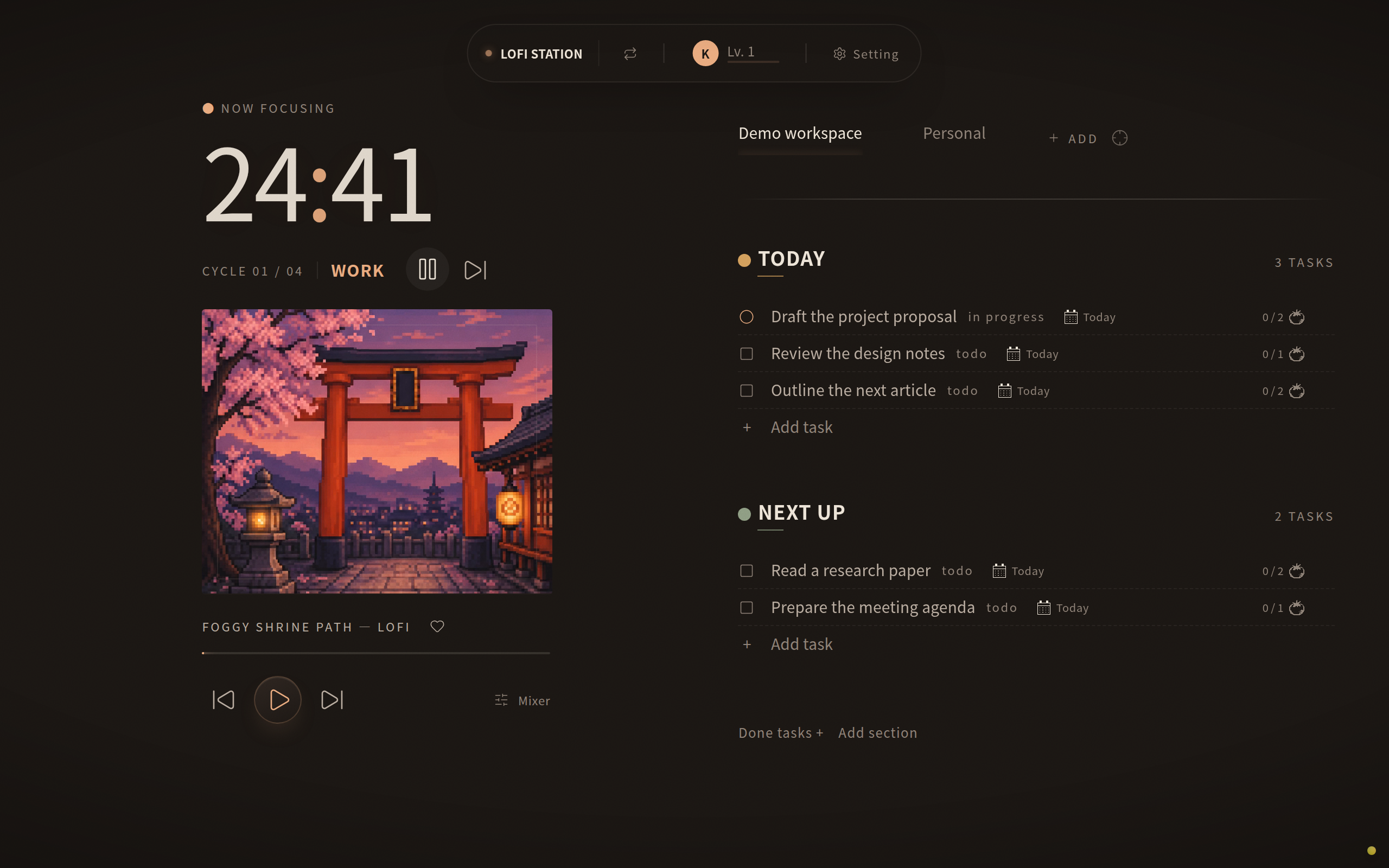
Durations are customizable. 25/5 if you like — or 90-minute sessions.
Line up today's tasks and start the timer straight from them.
Blend music, nature sounds, and ambience yourself. Alpha- and gamma-band sounds are available too.
Timeboxing
Assign each task the number of pomodoros it gets. Decide “this document is two sessions” before you begin. Timeboxing — fixing the time first and fitting the work inside it — turned directly into the controls.
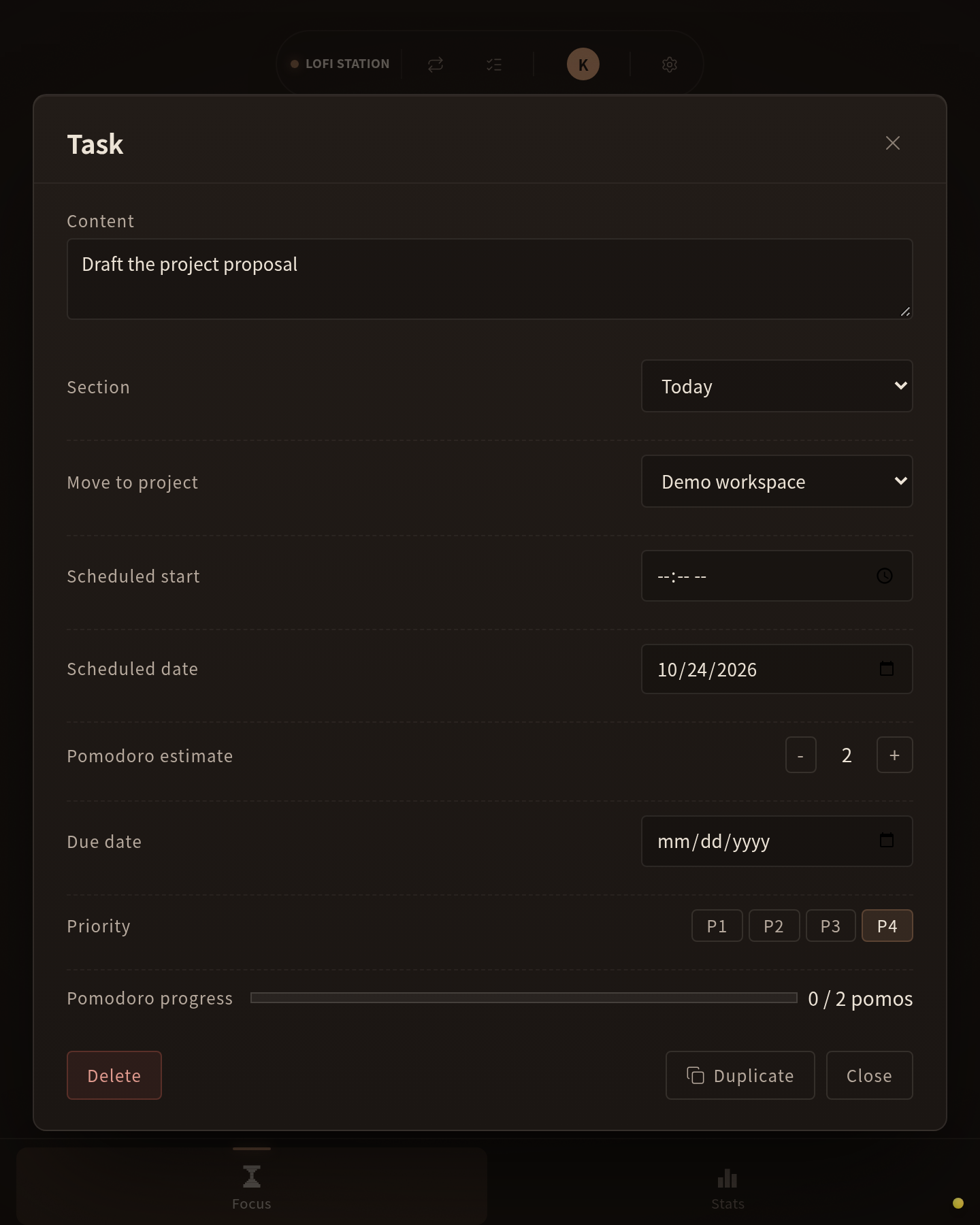
Your focused time, completed tasks, and streak are kept. Next time, you resume from the same room.
Lofi and jazz, plus hip hop and UK Garage added in July 2026. More arrives at least once a year.
Scenery and anime-style artwork drift by. A room set apart from the everyday, built for work.
We don't think the music itself is what matters.
What this app needs is sound that keeps distraction away. The moment listening to your favorite songs becomes the main event, it is a long way from focus.
What we need is sound that stays out of the way of thinking — and we need a lot of it. So we set up to produce it in-house.
When I started working remotely as an engineer, I couldn't focus at all. I kept catching myself on social media.
A pomodoro timer, music, a to-do list — each lived in its own app. Open YouTube for background music and you drift into another video. When a track ends, you go picking again.
I just wanted it all in one place. Unified apps existed, but they were mostly paid, not to my taste, and not adjustable enough.
So I built it.
What it doesn't do has reasons too. Stated upfront.
The switch between work and break doesn't happen on its own. We want your attention back on the timer — starting the next round with your own hands.
A connection is required. Tracks can't be downloaded or played offline.
The rights to the music and illustrations belong to their creators. No downloads, no reuse.
No Todoist or Notion sync. Tasks live — and end — in here.
None, ever. Selling focus while planting things that break it would make no sense.
What goes in and what stays out is decided by three principles. Those criteria, and the list of things we refuse to do, are published.
Read mibuki's approach →What is the Pomodoro Technique? →Within what we have reviewed, we have not found established evidence for the effect — so Lofi Station makes no claims about alpha or gamma waves. That said, alpha- and gamma-band sounds are available as a feature you can choose. Sound preferences and how sound feels vary from person to person, and we think having the choice is valuable in itself.
A time-management method that alternates work and breaks in fixed slices. “25 minutes on, 5 off” is the best-known pattern, but Lofi Station lets you set any durations you like.
Right now, every feature is free to use. There are no ads either.
It runs in mobile browsers. A smartphone app that works even more comfortably is in the works.
No. Playing the audio requires a connection.
Your focused time, completed tasks, and streak are recorded.
Try it without signing up. Right now, every feature is free to use.
Open in your browserRight now, every feature is free to use. There are no ads either.
A connection is required. Tracks can't be downloaded or played offline.
Web app — runs in your browser
Last updated: July 2026