The app keeps feeding you words that aren't yours
You want the phrase from today's conversation, but the course insists on teaching you something else.
 LangDict
AI language learning built around the words you want to use
Turn words and phrases from conversations, work, and travel into your own study material. AI prepares the translation, examples, and phonetics; Lexa decides when to review. You spend your time remembering.
Available on the App Store and Google Play. Free on iOS / Android.
Enter a word you want to remember, and it becomes a card — translation options, an example sentence, and phonetic transcription already in place.
It suggests translation candidates in both languages. Pick one and it becomes a card as-is.
Illustrative demo: translation to a saved card.
The LangDict translation screen: typing “Love” returns Amor, Cariño and Querer as candidates, each with a phonetic transcription and a play button
It suggests translation candidates in both languages. Pick one and it becomes a card as-is.
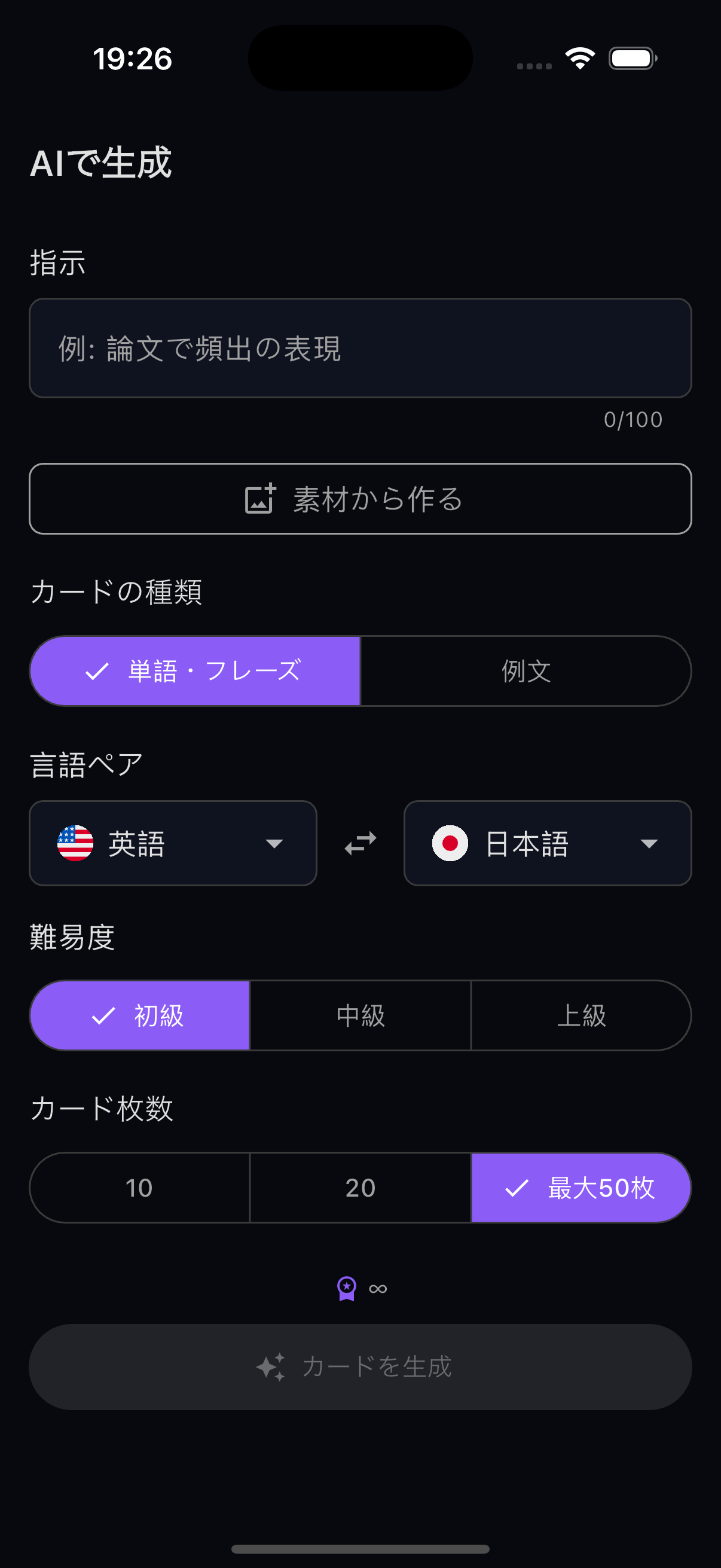
Type a topic and it generates a whole deck. Drop the cards you don’t need in the preview.
A study calendar, per-language-pair breakdowns, and your streak.
You want the phrase from today's conversation, but the course insists on teaching you something else.
Look up the meaning, think of an example, hunt down the pronunciation. You burn out before you even start studying.
Memorize a word without knowing how it sounds, and the wrong pronunciation is what sticks.
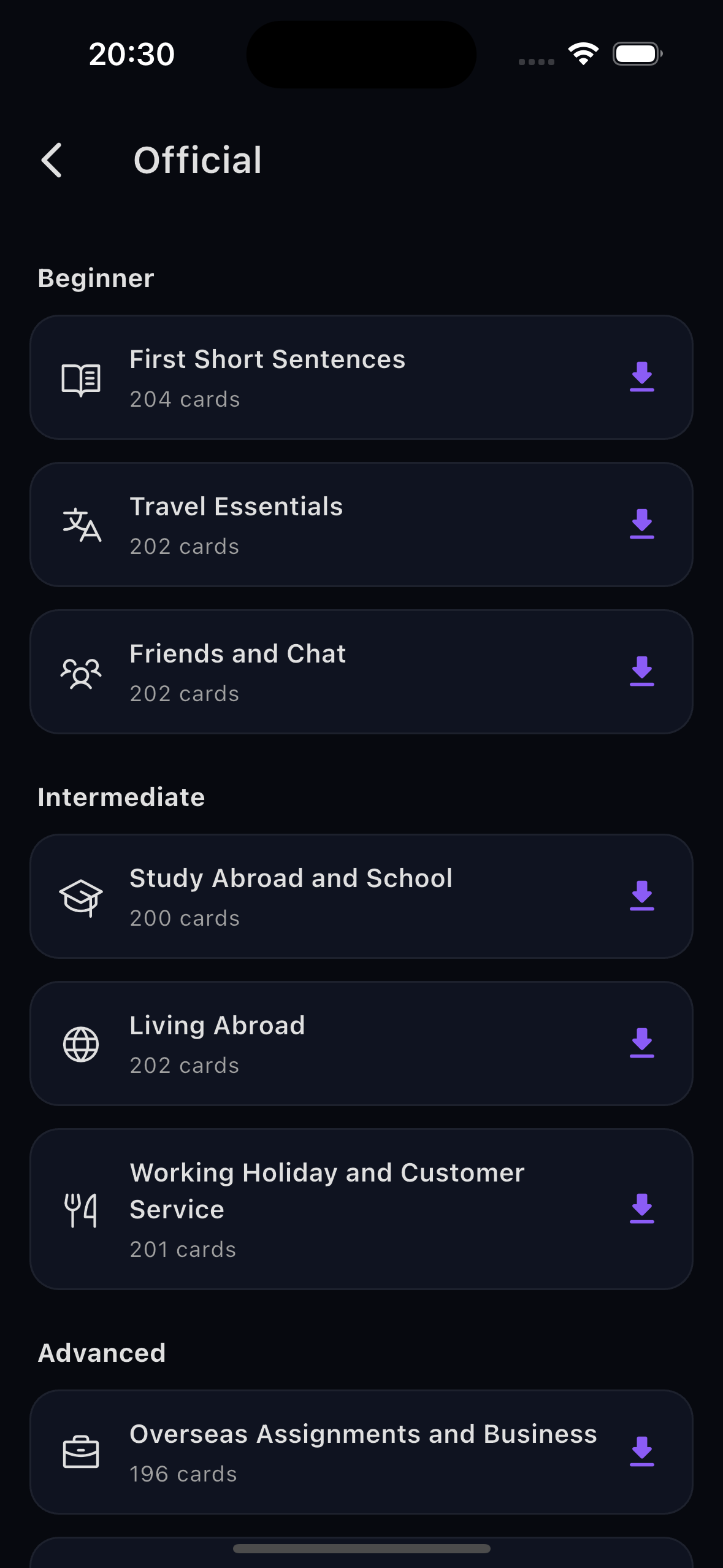
Mostly, yes — the app is built around choosing what you learn. That said, there are official decks ready to use, and AI deck generation from a single topic, so you never have to start from zero.
Lexa
A spaced-repetition scheduler predicts when you should review. The industry standard, FSRS, personalizes by optimizing parameters for each user. Lexa takes a different route: it reads the review history of your other cards as context, so a single shared model adapts its predictions to you — with no per-user tuning.
The method, data, and scores are published in our research report.
Read the research report →Every card gets them, automatically. No looking things up yourself.
Flip the learning direction with a single tap.
Play the audio for any card. Autoplay is supported too.
Turn text captured in a photo into cards on the spot.
No. Install it and start — there is no login and no email address to enter.
All the basic features are free. The paid plan removes the limit on AI deck generation and lets you choose a more accurate model. Creating cards from images and PDFs is also a paid-plan feature.
Studying and your records work offline. Translation and AI generation need a connection.
| Feature | Free | Paid plan |
|---|---|---|
| Creating, studying and reviewing cards | Unlimited | Unlimited |
| Automatic phonetics on every card | Yes | Yes |
| Any pair of 17 languages | Yes | Yes |
| Review scheduling by Lexa | Yes | Yes |
| Studying and logging offline | Yes | Yes |
| AI deck generation | Capped | Uncapped |
| Choice of generation model | Fixed | Higher-accuracy models selectable |
| Cards from images and PDFs | — | Yes |
Prices are shown on the App Store and Google Play listings and on the purchase screen in the app. They vary by region, so they are not reproduced here.
This app is built for people who choose their own words. If that isn’t you, here is what may not fit — stated upfront.
There is no fixed sequence of words to march through. You choose what to learn. This is an app for remembering the words you actually use.
Not included. We see this as an app for remembering words, not for practicing pronunciation.
We built it once, then removed it. AI can generate the decks you need — and the more shared decks pile up, the harder it becomes to know which one to use.
These need a connection. Studying and your records work offline.
On three public benchmarks (Anki / Duolingo / maimemo), it outperformed FSRS-7's default settings — the industry standard. The method, data, and scores are published in our research report. Note that this comparison measures how accurately memory retention is predicted; it is not a measurement of learning outcomes themselves.
Phonetic transcriptions are added to every card automatically, and text-to-speech is supported. There is no pronunciation scoring or correction, though.
17 languages, and you can study any combination of them.
Mostly, yes — the app is built around choosing what you learn. That said, there are official decks ready to use, and AI deck generation from a single topic, so you never have to start from zero.
In 2024, on a working holiday abroad, I kept wishing I could turn the words and phrases I had used that day straight into a flashcard deck.
Anki demanded too much setup before I could study. Duolingo wouldn’t let me study the words I wanted. And almost none of the apps had phonetic transcriptions.
I wanted something that could build a deck straight from a conversation log, transcriptions included. That is why I built this.
Now it can generate review cards automatically from English lessons, or from records of conversations in other languages.
What goes in and what stays out is decided by three principles. Those criteria, and the list of things we refuse to do, are published.
Read mibuki's approach →FSRS is an excellent model, but its per-user optimization needs a certain amount of data. The newer you are to studying, the less you benefit.
How easily you memorize, and how mature your learning is, differ from person to person. We wanted to handle that without retraining for each user.
So we used large public collections of review logs to build a Transformer-based model. It reads the history of your other cards, personalizing without any tuning.
Read the research report →LangDict
Available on the App Store and Google Play. Free on iOS / Android.
Last updated: July 2026